AI Center and Inference Engines
What is the INARA RH AI Center?
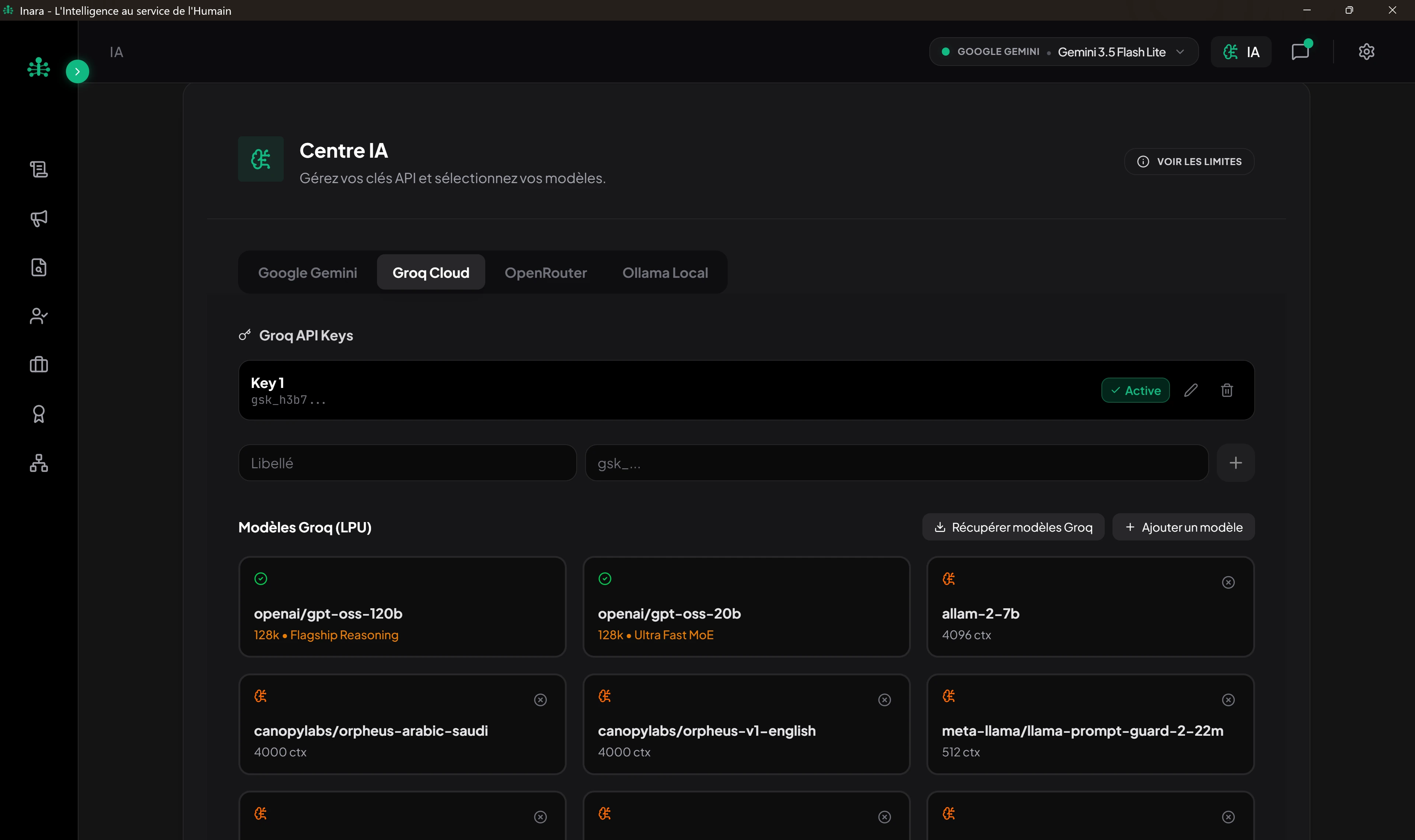
Operational context and INARA solution
Inaccessible currency subscriptions, connection drops, and sensitive data transfers
Most commercial AI tools demand monthly subscriptions in dollars or euros payable only via international cards, halt during internet outages, and route nominative data to remote cloud servers.
Free local execution with Ollama and encrypted cloud key management
INARA RH runs either 100% offline using Ollama on your own hardware, or connects to free-tier quotas from Google Gemini and Groq. Your keys stay encrypted on your machine with zero third-party intermediaries.
AI Center Technical Specifications & Data Flows
Connectivity parameters, supported LLM architectures, and data sovereignty safeguards.
| Technical Parameter | Cloud Providers | Local Ollama Instance |
|---|---|---|
| Supported Models | Google Gemini (3.5 Flash, 3.1 Flash Lite), Groq LPU, OpenRouter | Llama 3, Mistral, Gemma, and local open-weight models |
| Connection Endpoint | HTTPS 443 to official provider gateways | HTTP local loopback on http://localhost:11434 |
| Key Storage | Encrypted local storage with alias labeling | Optional (Bearer token for secured intranet servers) |
| Outbound Network Flow | Encrypted requests filtered through PII Guardrail | Zero outbound packets (fully disconnected operation) |
| Quota & Health Monitoring | RPM, RPD, TPM counters with latency metrics | Local daemon health and memory availability check |
Operating Workflow & Execution Steps
Select Engine
Choose Ollama for disconnected offline work, or connect Gemini/Groq to leverage free online quotas.
Local Credential Storage
API keys are stored exclusively in your local Windows user profile and never pass through LeapDz servers.
Monitor Quotas
Real-time counters display request rates to keep your usage comfortably within free provider limits.
Diagnostic Support
If quotas expire or a network cut occurs, the console provides instant guidance to restore operations.
Agri-food Manufacturing Plant in Rouiba
During a three-day regional internet outage in the middle of a major technician hiring campaign, the HR team was unable to use their standard cloud tools.
Zero Transmission of Keys or Application Data
Your access credentials and settings remain confined to your local drive. In local mode, not a single candidate text packet leaves your machine.
Frequently asked questions on this module
Does the AI Center truly operate without an Internet connection?
Yes. When paired with local Ollama on your workstation, INARA RH parses documents within a closed disconnected loop on port 11434 without sending a single byte outside.
Where are my AI API credentials stored?
Your API keys for Google Gemini, Groq, or OpenRouter reside strictly on your local encrypted workstation drive. They never transit through any LeapDz servers.
What are the performance differences between local Ollama and cloud APIs?
Ollama runs open-weight models (Llama 3, Mistral) directly on your processor with zero network latency, zero token costs, and absolute data sovereignty under Law 18-07. Cloud providers like Google Gemini Flash or Groq LPU deliver near-instant inference and larger context windows without consuming local workstation compute.
How can IT security teams audit zero outbound network leakage during local inference?
In Exclusive Local Mode with Ollama, INARA RH communicates solely via the local loopback interface at 127.0.0.1 on port 11434. Zero outbound packets reach the external network. CISOs can verify this isolation using network packet sniffers (Wireshark, TCPView) or create an outbound block rule in Windows Defender Firewall without impacting application functionality.
Discover AI Center and Inference Engines in real working conditions
Install Inara v2.1 and start your 7-day free trial on your real candidate files today.